Hi all! I finally had a friend help me take my measurements (id: 89270) and plugged everything in.
I made a test-run of a short-sleeve Simon shirt, and the biggest issue is that the sleeves are tiny. The armholes are really small, and I can barely pull the sleeve up past my elbow.
I projected the pattern, and double-checked the sizing square before cutting. Certain parts, like the collar and yoke all seemed perfect.
I double-checked my bicep measurement and my waist-to-armpit, but other than those two, I’m not sure which other measurements to review.
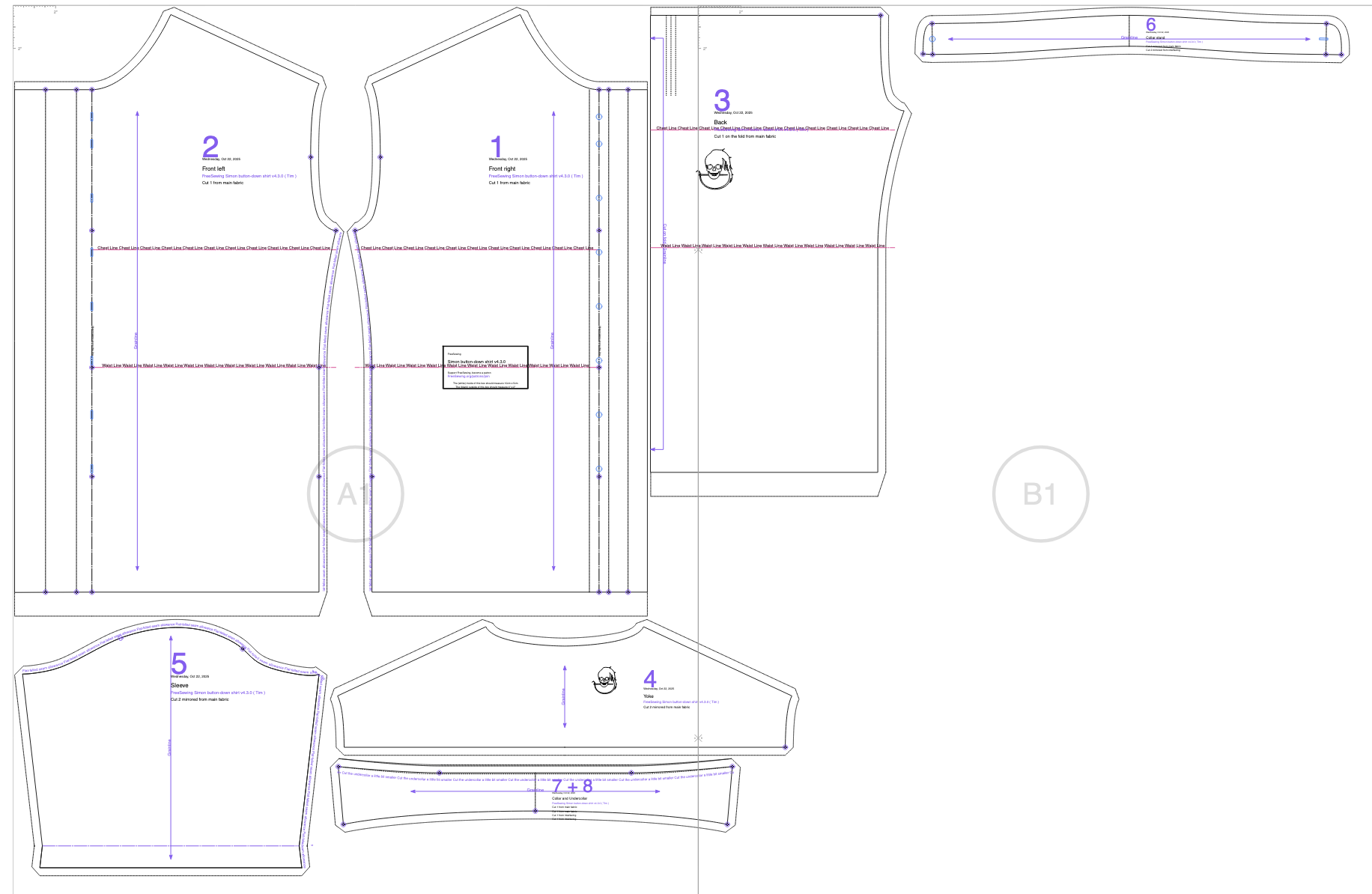
Here’s a screenshot of my pattern pieces (still looking to see how to mark a pattern as public).
Yes, your armholes look very small. I think there is a problem somewhere with your measurements. Freesewing is using the body measurements to create pattern very directly, without using some average body predispositions.
I guess (but I don’t know, as I am not the author of the pattern) that the size of the armhole is made with help of the position of the shoulder tip and the lower position of the armpit.
The upper point is measured from the neck down (HPS) and the lower point from the waist up. Both are connected with the “HPStoWaistBack” So there are many points where a meauserements can go wrong.
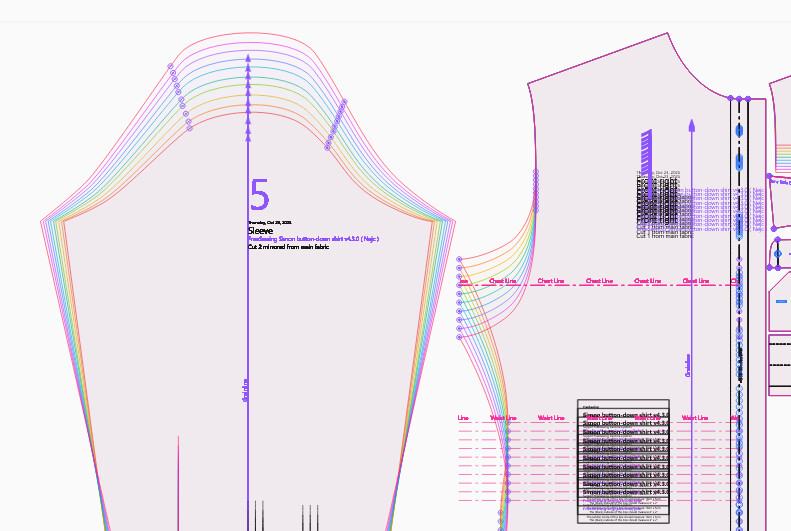
You can test this if you under the “test design” and you choose to “test measurements”. Here I am testing different “HPStoWaistBack”
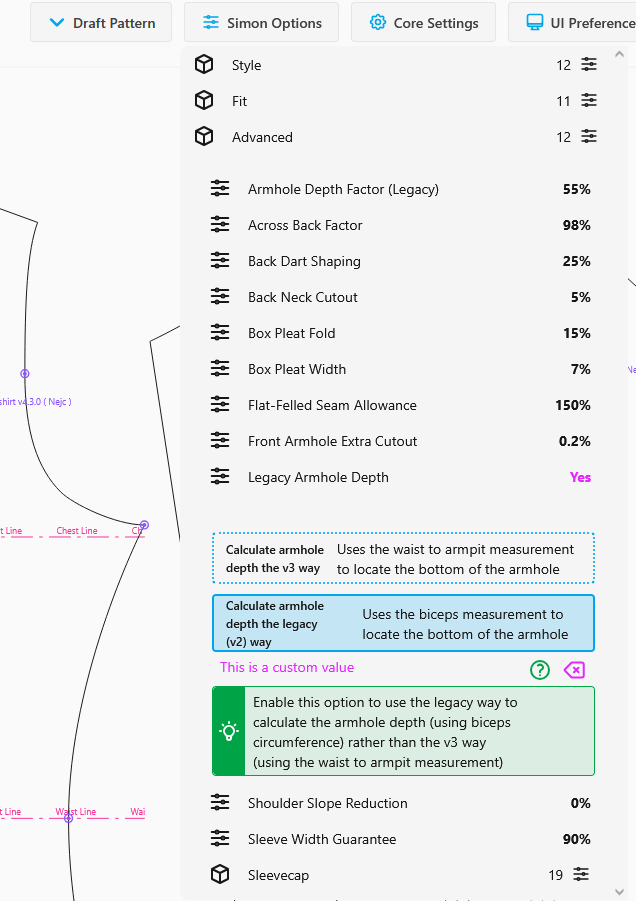
Thank you thank you! This is exactly what I needed to keep moving. The “Test Design” feature is KEY. I’ll also look into the legacy armhole calculations. It definitely looks like my HPStoWaistBack is off.
UPDATE: well, it helped, but my sleeves are still super tight, especially around the shoulder.
Playing around with the Test Pattern mode, and using some common sense, I see that my shoulder-to-shoulder measurement must also be pretty off. My yoke extends pretty far down my shoulder towards my arm, and I think that’s throwing things off.
I’m learning that having a friend take measurements is easier than doing it on your own, but you’re really putting a lot of faith in that friend!!
I’m also having the realization that I should start with a Brian block until I’m confident in my measurement set . Learning a ton right now, having fun.
In my first Simon, my should-to-shoulder measurement was also quite a bit off. And many measurements would have been off, too, but I had compared the sizes in the preview with several of my existing shirts, and corrected the measurements before sewing my first attempt. The under-arm sleeve position was still quite a bit off, too, and I also did not understand why and what possible changes would do, so in the second sewing attempt, it was worse.
I think it was mainly because bodies do not have exact corners to measure off of, and I was just not used to measuring and then the measurements were off. Even circumference measurements were difficult, e.g., for my neck.
But I also found it was fun to play with all this and learn, and the reward – a self-made fitting garment – is great!
My Brian ended up being much better, actually put-on-able. It’s still tight in the shoulders, but I’m not sure if that’s due to the nature of the block.
Before my next Simon, I’ll definitely be comparing with an existing shirt that fits and keep fiddling with bicep/chest ease until it’s comprable.
I copied my measurements into Google’s AI and asked it to produce a line drawing of a man with those measurements. It looked a LOT like me, so I knew the measurements were pretty good. I wanted the visual check before I started. It also allowed me to make minor adjustments where I wanted extra ease added. (I like to wear slightly larger clothing)
 . Learning a ton right now, having fun.