How do I put my measurements like 7 1/2”. It won’t let me put in the half inch??? I can only put 7”.
Use decimals instead of fractions.
Try writing it as 7.5 instead of 7 1/2
it does. if you look below the field, it converts it to decimal.
For fractional measurements there is no decimal point or a place where it converts. Here’s a screenshot of what the page looks like on my mobile device. Do I have to do it on a regular computer to be able to add fractional measurements?
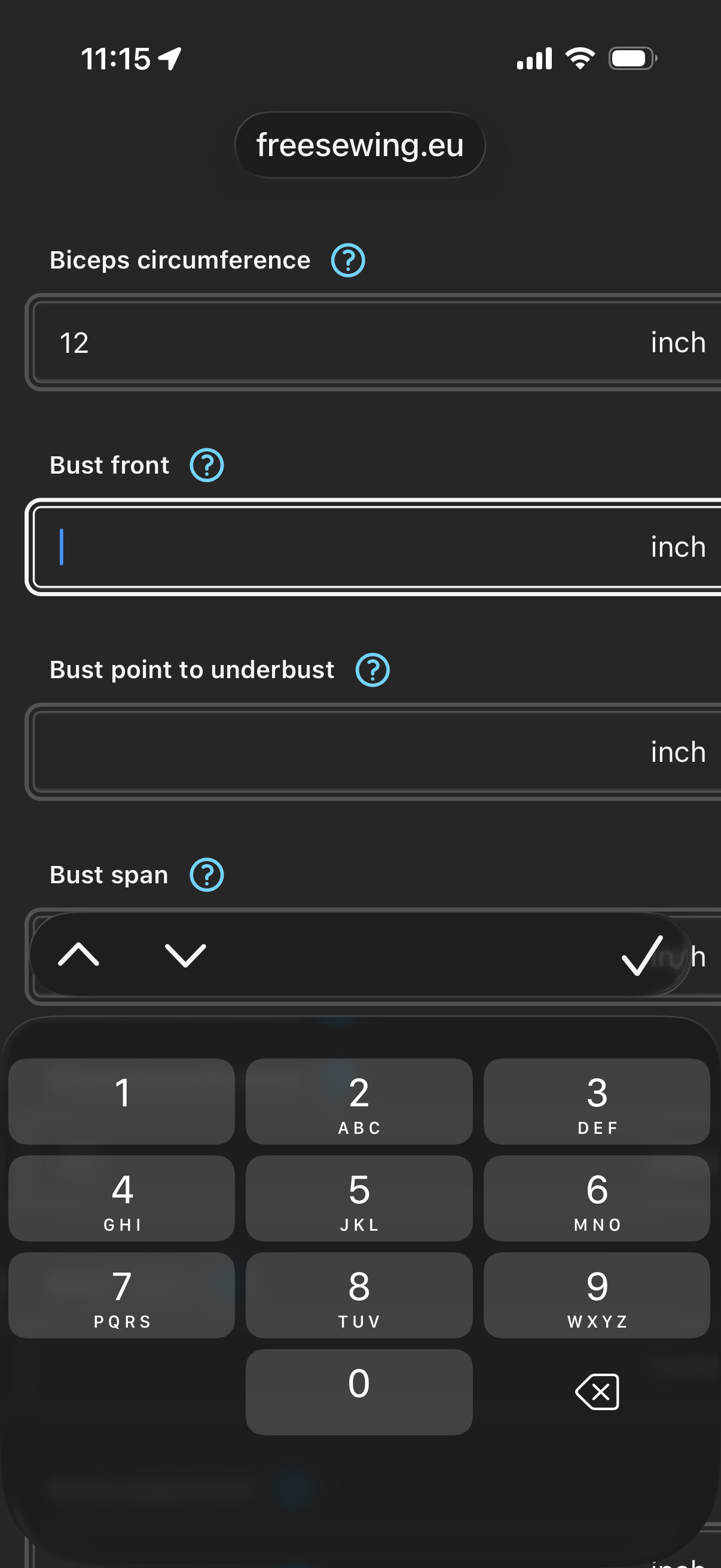
This is a bug. In the code it says inputmode="numeric" pattern="[0-9]*", which means that decimals or slashes or something aren’t allowed. I’ll try to create a patch later, but until now, it’s probably easiest to use a PC if you have one. If you only have mobile devices, you can try entering the measurement somewhere else and copy-pasting it into the text field.