Hi. I have a few pairs of Cornelius pants to make for my band in very varying sizes. I don’t want to print them all out and thought I would project them onto the fabric. I notice there is an option for a paper free pattern. Would that be the best option, or print them as an A0 pdf format?
Cheers
Vanda
1 Like
There are a few on the discord who use projectors and I think they tend to mostly use the paper free option as they have the grid squares to confirm that the pattern scale is correct across the image, as some projectors can distort the image which needs correcting for.
2 Likes
I guess this depends on how are you using your projector. If you are positive that you can consistently control the scale than go directly with the paperless version. You do have a nice raster mesh that helps you to do scale check.
I am using my phone to project, so I am always printing pdf with the paper size 100x180 cm, because this is the size of my projected image. As this format is not supported I need to do a long version: export from freesewing >> import into my lovely CAD softwear >> print it as 100x180cm pdf >> projector
1 Like
I don’t know the details about how they do it, but I think that in the past some people have said that they export the pattern in SVG format, then manipulate the SVG pattern in a program like Inkscape, and then project it onto the fabric.
To avoid paper waste, I was also thinking of using a projector. But is it accurate in the same way? I mean, it will require quite some work to mark out all the cuts, seams, markers, etc., and during this time, the fabric must not move. If pinned to the paper, it seems like this would be much easier. Is that so? Do you curse more with the projector method?
I was never pining, I was always using weights, with paper too. I managed to get few of those old irons and I am using them as weights :)))
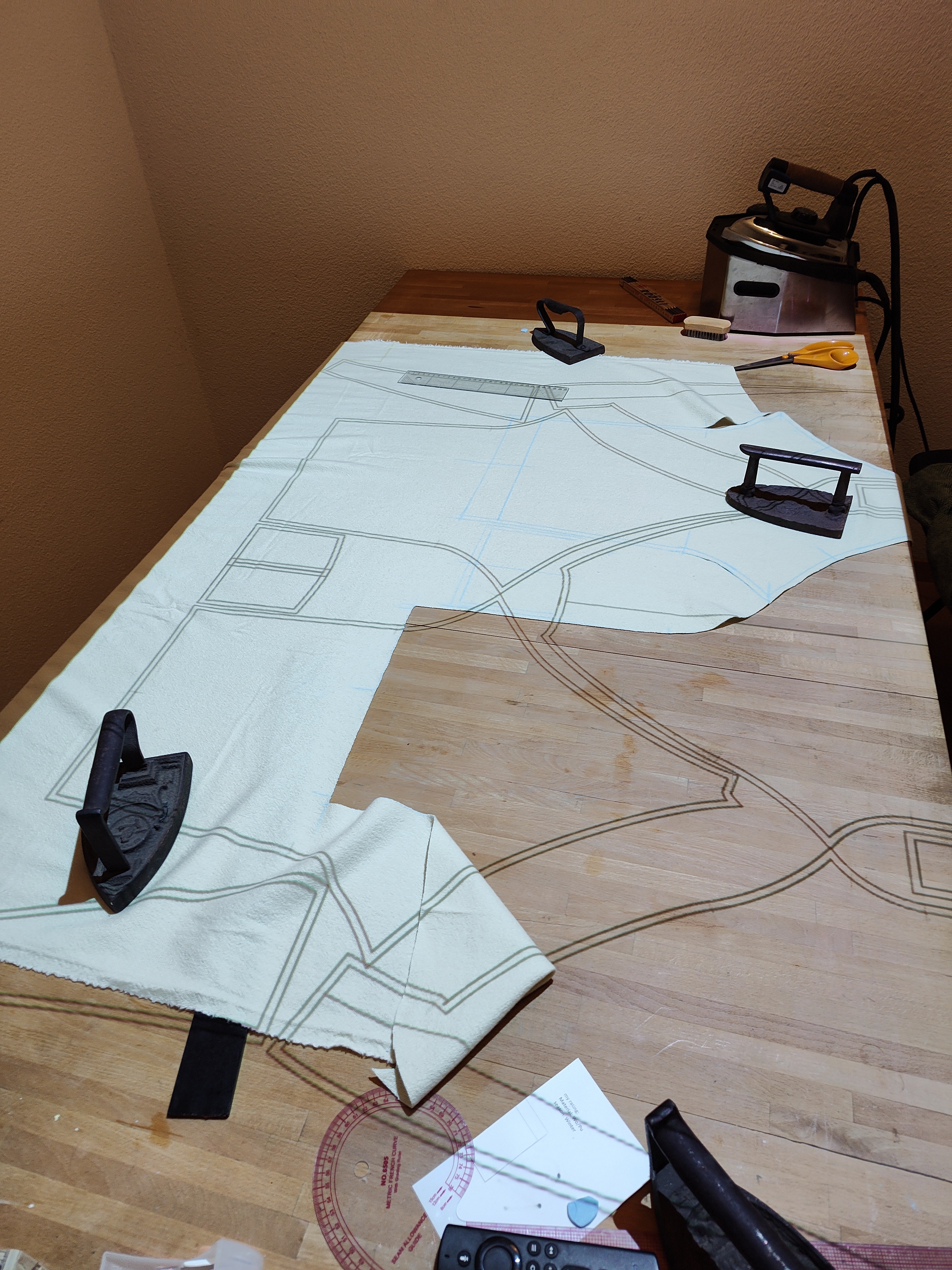
2 Likes
Fabric weights are your friend when making out patterns on fabric. They’re easy enough to make at home, with a bunch of different options available.