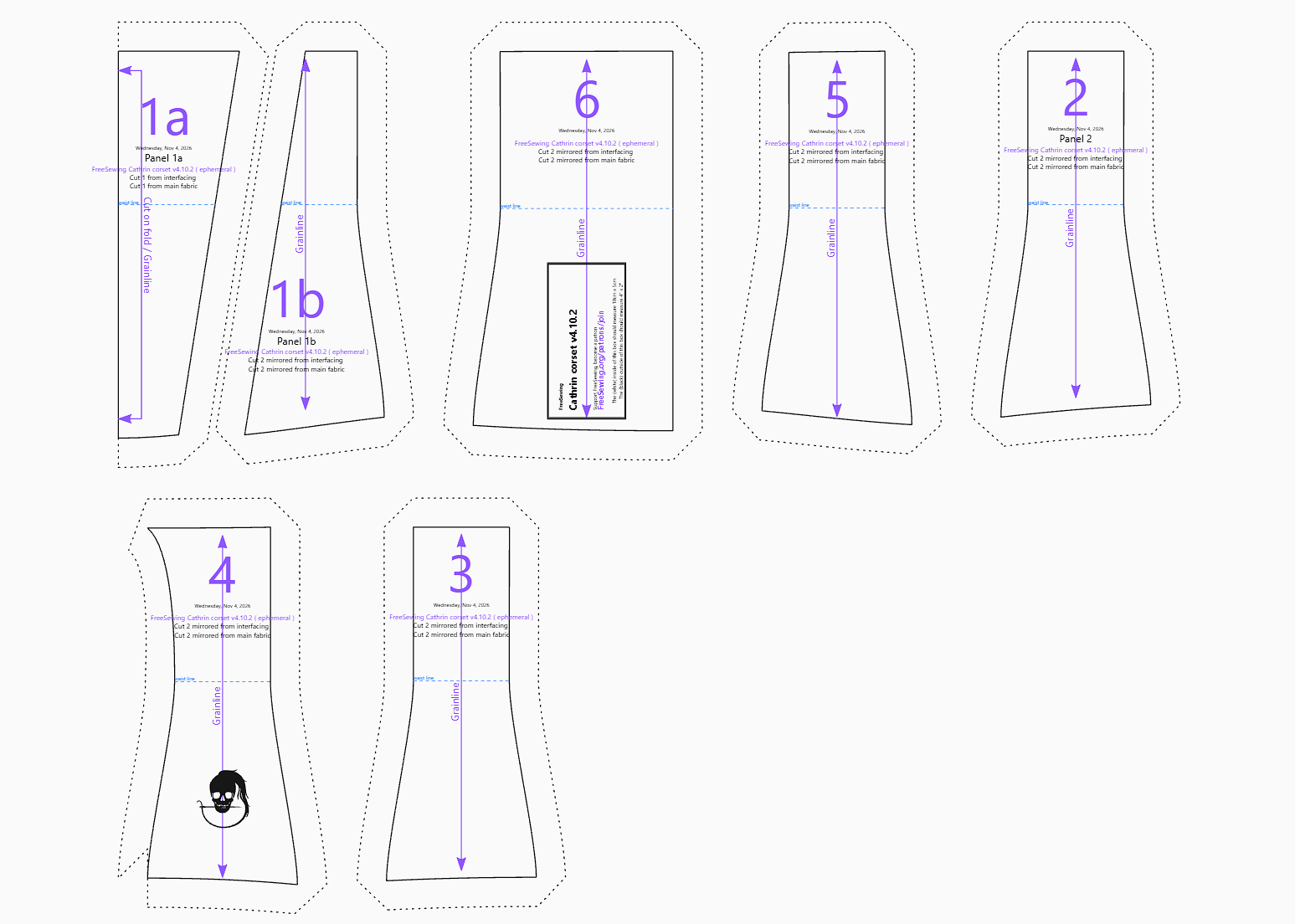
Um, not sure how or why this happened but the seam allowance on piece 4 is weird and spiky, which is not how I expect a seam allowance to look. Anyone have any idea how/why and how to fix?
I could take a look at the software. This is likely caused by two overlapping points on the seam line or something like that.
But you can fix this easily by just ignoring the weird spike when cutting out that part. Or get a ruler or something and measure the seam allowance yourself.
Be careful with the top left edge of part 4, that also looks a bit weird.
Thanks, ignoring the weird part and drawing a new one myself did occur to me, but I wondered if it would be worthwhile if something else went wrong anyway. I did see the strange curve at the top, too. Would it make sense just to square that off?
The weird SA outline is a minor annoyance, but the shape of part 4 at the top is something that shouldn’t happen.
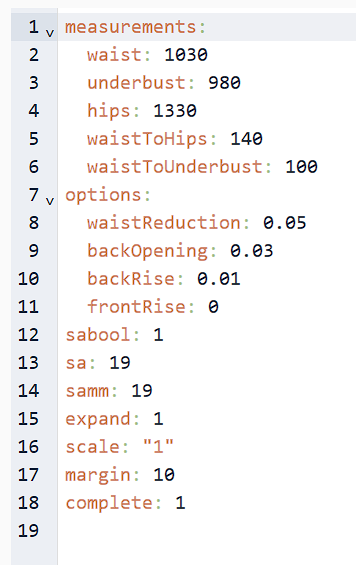
I haven’t looked into your specific measurements tonsee what’s going on, but I think it’s worth doing so. And to avoid that being forgotten, it’s best to create an issue.